Blank Certificate Maker & Templates
Design custom certificates from scratch with minimal border layouts, pristine white canvases, and our free visual editor.
Create completely bespoke certificates for specialized corporate awards, unique academic milestones, membership credentials, and pre-printed stationery. Choose a minimalist border or blank canvas and customize text directly in your browser.
How to Build a Custom Certificate from Blank in 4 Steps
Design and download your customized certificate in under two minutes with our zero-friction workflow.
Choose a Blank or Border-Only Template
Select our pristine blank canvas or choose a near-blank minimalist frame, workshop line border, or editorial outline.
Structure Your Title & Custom Wording
Type your custom headline, recipient name, detailed achievement citation, and organization name directly on canvas.
Add Signatures, Dates & Border Accents
Configure dual signature lines, insert verification dates, toggle optional seals, or remove borders to print on stationery.
Download PNG, JPG, or Print-Ready PDF
Export high-resolution PNG, JPG, or 300 DPI vector PDF files ready for professional cardstock printing or digital distribution.
Blank & Minimalist Certificate Templates
Explore our collection of blank and near-blank certificate templates. Designed with subtle geometric borders and clean layouts that leave maximum space for your custom text.
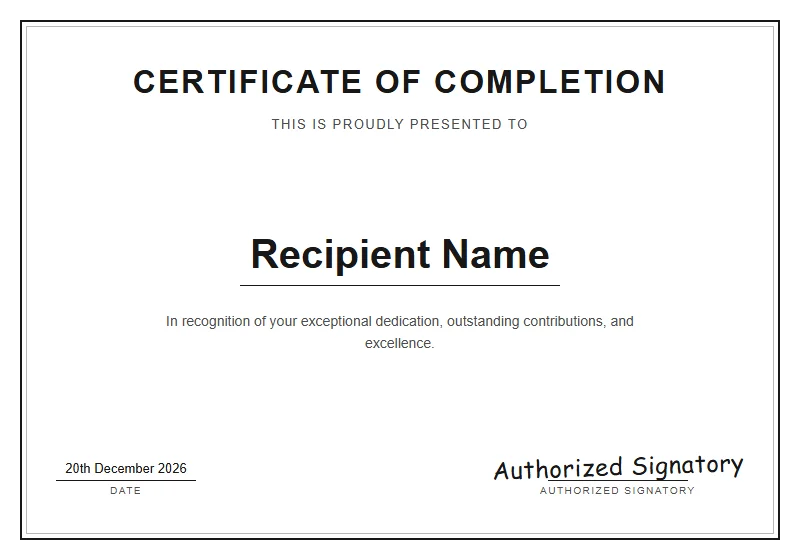 Minimalist
Blank Canvas
Empty canvas with a classic border and default typography. Perfect for designing a custom certificate from scratch.
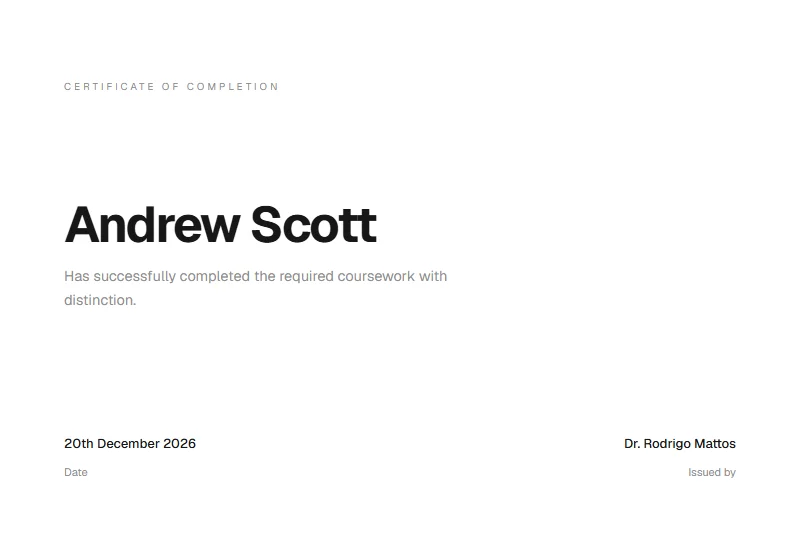 Minimalist
 Clean
Understated elegance with ample whitespace and crisp sans-serif typography for modern recognition.
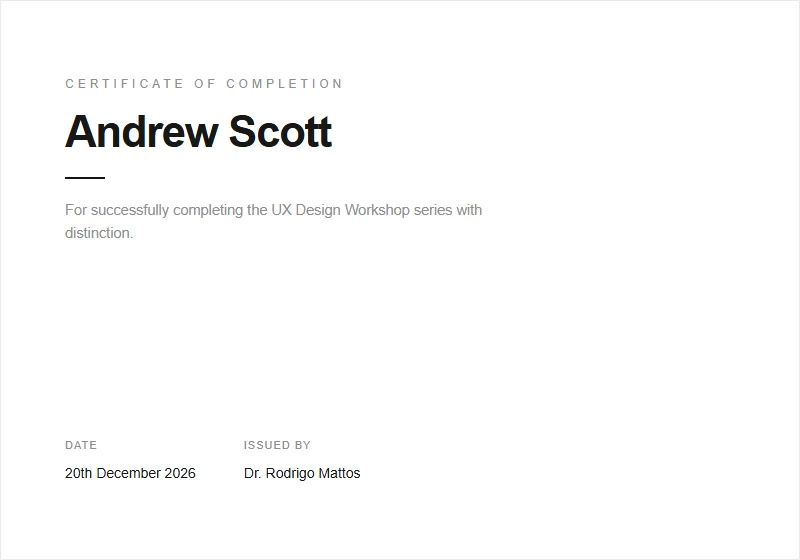 Minimalist
Workshop Minimal
Clean minimalist design ideal for training sessions, bootcamps, and professional workshops.
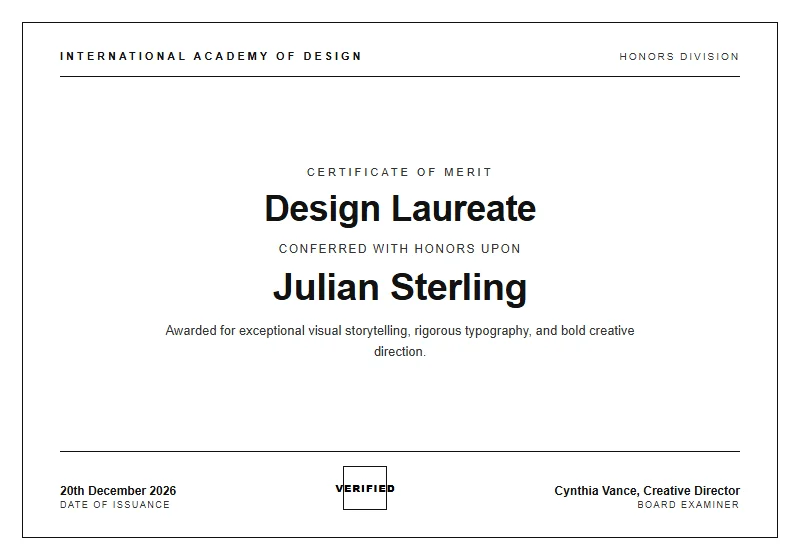 Minimalist
Monochrome Editorial
Architectural high-fashion minimalism, stark black & white contrast, crisp hairline borders, elegant tracking, and timeless typography.
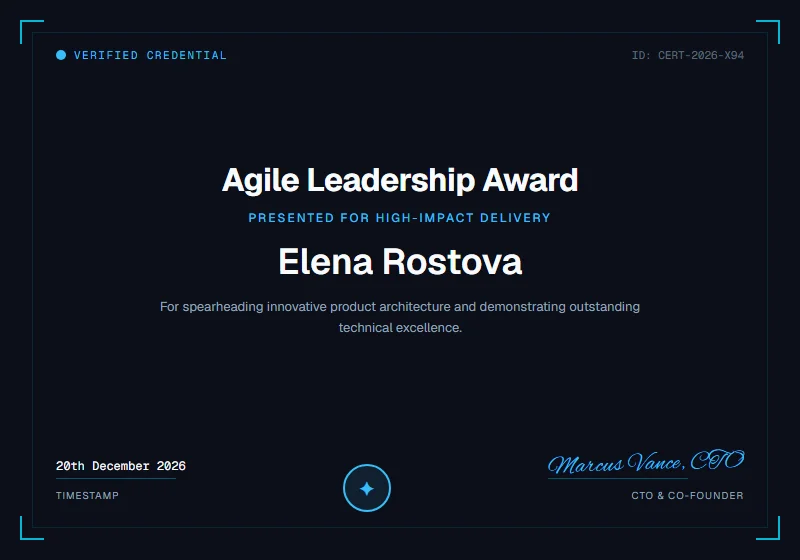 Corporate
Modern Startup Agile
Dark mode tech certificate with subtle cyan grid accents, modern corner brackets, digital verification badge, and monospaced ID tags.
Blank Certificate Templates vs. Fully Designed Templates
Understanding when to choose a blank certificate template versus a pre-styled decorative design for your organization or ceremony.
A blank certificate template provides minimalist boundary framing and clean structural margins without pre-populated decorative artwork, medallion graphics, or ornate banners. It gives you complete creative liberty to tailor typography, wording hierarchy, and branding for unconventional awards or bespoke ceremonies.
In contrast, fully designed certificate templates come pre-styled with rich visual elements such as gold rosette seals, metallic geometric corners, and ornate Victorian scrollwork. They are ideal when you need an immediate formal aesthetic without having to arrange visual elements from scratch.
If you already possess physical certificate paper featuring embossed gold foil borders, our 'Start from blank' option lets you compose text on a clean white canvas, turn off digital borders, and print directly onto your pre-printed stationery.
Complete Typographic Freedom
Compose multi-paragraph citations, custom honors titles, or multi-lingual text without competing decorative graphics.
Pre-Printed Paper Compatible
Turn off canvas borders in the editor to align text perfectly with physical gold-foil stationery sheets.
Start from Blank Canvas Mode
Launch the editor with a pristine white canvas, standard margins, and zero preset graphics with a single click.
Copy-Ready Wording Examples for Blank Certificates
Starting with a blank canvas gives you total freedom. Use these pre-written, adaptable wording samples as a foundation for your bespoke certificate.
Bespoke Corporate Excellence Award
Recipient: Marcus Sterling
"In sincere appreciation for exemplary strategic foresight, visionary guidance, and steadfast leadership that propelled our organization to historic growth."
Academic Scholastic Honor Distinction
Recipient: Victoria Sterling
"For demonstrating extraordinary intellectual rigor, semester honors standing, and superior research achievement in Advanced Molecular Genetics."
Distinguished Community Service
Recipient: Carlos Ramirez
"Presented with heartfelt gratitude for dedicating over one hundred hours of compassionate service, outreach coordination, and community support."
Interactive Workshop Participation
Recipient: Gabriel Scott
"In recognition of active participation, collaborative problem-solving, and prototyping excellence during the 3-day Design Thinking Intensive."
Honorary Professional Membership Induction
Recipient: Dr. Elena Rostova
"Conferred by the executive council in recognition of outstanding clinical research contributions, inducting the recipient as a Fellow of the Society."
Continuing Professional Education (CPE)
Recipient: Rachel M. Adams
"For successfully fulfilling twenty hours of structured continuing professional education in financial audit compliance and forensic analytics."
Guide to What Text to Add on a Blank Certificate
When building a certificate from a blank canvas, establishing clear visual hierarchy is essential. Follow this structured text guide to craft an authoritative, well-balanced layout.
1. Main Title & Purpose Headline
Begin with a prominent title stating the document's purpose, such as 'Certificate of Achievement', 'Certificate of Recognition', or 'Certificate of Membership'.
2. Presentation Lead-In Line
Follow the title with a transitional presentation phrase such as 'This certificate is proudly presented to' or 'In recognition of'.
3. Recipient Full Legal Name
Feature the recipient's name as the dominant visual focal point on the page, centered with ample horizontal breathing room.
4. Detailed Achievement Citation
Draft two to three sentences explaining exactly what accomplishments, training hours, or milestones are being honored.
5. Date & Official Verification Number
State the conferral date in full formal prose alongside an optional sequential certificate tracking code for archival records.
6. Authorized Signatures & Seal
Include dedicated signature rules for presiding executives, deans, or directors, anchored by an optional embossed gold seal.
Print It: Paper Weight, Margins & Pre-Printed Stationery
Whether printing on standard white cardstock or feeding pre-printed gold foil certificate paper through your office printer, follow these guidelines for flawless alignment.
📐 Dimensions: US Letter vs. A4
Our generator outputs in standard US Letter (8.5 × 11 in) and international A4 (210 × 297 mm) formats, fitting universally into commercial frames and diploma binders.
🔲 Margin Safety & Bleed
Pre-set with 0.5-inch (12.7 mm) safety buffers, guaranteeing that text and border frames remain completely inside printable boundaries on any desktop printer.
📄 Cardstock Weight (GSM)
Avoid lightweight 20 lb copy paper. Use heavy 80 lb to 110 lb cover cardstock (216 to 300 gsm) to maintain rigid paper quality inside presentation frames.
✨ Texture & Paper Finishes
Cream linen cardstock or heavy cotton parchment adds rich texture. Smooth matte finishes prevent distracting glare under indoor lighting.
🖨️ Optimal Printer DPI Settings
When printing onto pre-printed border paper, select our Blank Canvas template, disable digital borders, and test print on plain paper first to verify text alignment.
Why Choose Our Free Blank Certificate Maker & Templates?
Most blank certificate templates online come as frustrating Microsoft Word files (.docx) or Google Docs documents. When attempting to position text boxes in desktop software, text jumps across lines, margins misalign, and custom fonts default to basic system fonts.
Certificate Maker AI delivers a superior alternative with our purpose-built online blank certificate maker. You edit your certificate in real time within your web browser, ensuring that the typography, borders, and margins you see on screen match your exported print file with sub-pixel precision.
Frequently Asked Questions About Blank Certificate Templates
Everything you need to know about formats, printing, and creating certificates online.
What is the difference between a blank template and a fully designed one?
Can I start with a completely blank canvas in the editor?
Can I print text onto pre-printed physical certificate paper?
Are these blank certificate templates free to customize and download?
Do you offer blank certificate templates for Word or Google Docs?
Explore Related Certificate Makers
Explore our top specialized certificate creators, full template library, or return to the main certificate designer.
Certificate Maker Home
Free in-browser certificate creator with instant live editing, custom typography, and print-ready downloads.
AI Certificate Maker
Generate tailored titles, citation options, and smart template pairings in seconds from a simple text prompt.
Template Gallery
Browse 20+ designer certificate templates for achievement, appreciation, completion, and events.
Free Printable Certificate Templates
Explore our complete gallery of print-ready certificate templates for A4 and US Letter cardstock.
Award Certificate Maker
Celebrate competitive excellence, corporate honors, and athletic trophies with regal metallic frames.
Certificate of Completion Maker
Issue verified course, seminar, and certification credentials with professional academic designs.
Ready to Create Your Certificate?
Start designing now with our free online visual editor. Pick a template, customize names, colors, and signatures, and download print-ready PDFs in seconds.